How to Message Someone Without LinkedIn Premium (or Connecting)
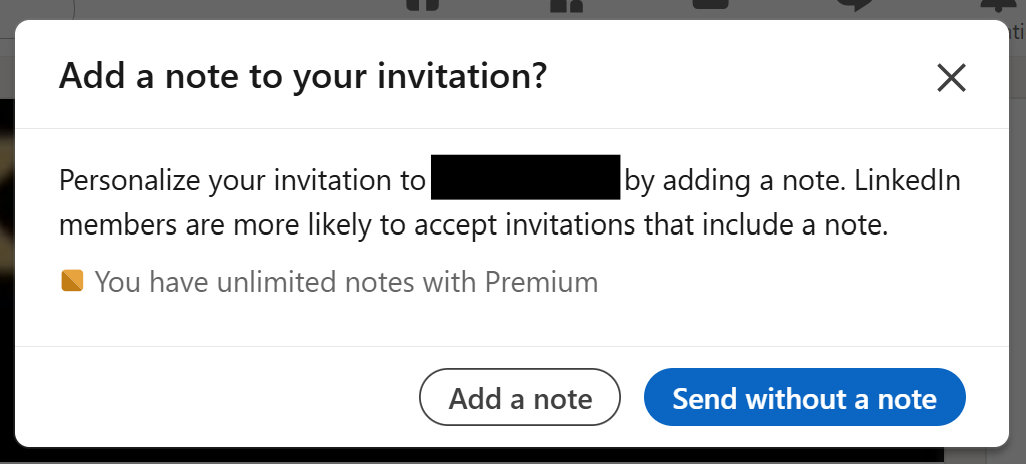
If you’re a regular LinkedIn user, you’ve probably noticed a rise in connection requests arriving without any context.
No note. No message. Just a blank request and a name you don’t recognise.
This trend is largely driven by LinkedIn restrictions on how many personalised invites non-premium users can send. The result? Connecting with strangers has become a bit of a lucky dip.
Is it a potential collaborator? A future customer? Or just another lazy salesperson lining up a copy-paste pitch?
The Hidden Risk to Your LinkedIn Networking Strategy
Here's what many casual users overlook
Connecting on LinkedIn doesn’t just open a chat. It opens a direct line to your inbox, your feed, and your network.
And while we’ve all had someone connect just to sell, there’s also a quieter play at work. By connecting, someone’s content gains access to your feed. Even if they don’t pitch right away, they may be trying to warm you up with their content or simply get closer to your network.
That said, not every request is suspect. There are plenty of legitimate reasons someone might want to connect - whether they’re looking to collaborate, explore your services, or simply start a meaningful conversation.
That’s why it’s smart to vet your connection requests. It helps you maintain control over who has access to you, your attention, your content experience, and your broader network.
The good news?
You don’t have to accept a connection to start a conversation... it's just not as intuitive as it should be.
How to Message Someone on LinkedIn Without Connecting
This feature is a little hidden, but once you know it, it’s a game-changer.
Step-by-Step:
-
Go to “My Network” from your LinkedIn homepage.
-
Click “See all” next to your pending connection requests.
-
Under each request, you’ll see a blue “Message” button.
Click it. -
Craft your reply—whether it’s a warm “Thanks, what brought you to my profile?” or a soft qualifier to see what they’re looking for.
-
Hit send—and that’s it. You’ve opened a line of communication without accepting.
From here, you can assess intent, clarify context, and decide whether connecting makes sense.
Why Keep A Tight Network on LinkedIn?
In a digital-first world, how you manage your network is just as important as how you grow it. Every connection has the potential to shape your feed, influence your attention, and impact your credibility.
Responding before accepting gives you time to assess intent, create context, and protect the quality of your network without shutting the door on new opportunities.
And that’s what modern sales is really about:
Intentional communication that builds trust, not noise.
ABOUT US
DIGITAL MARKETING CONSULTANTS
Tomorrow embed inside $1M–$10M professional services to turn complex expertise into high-converting content systems that capture attention and drive growth.